- Joined
- Apr 10, 2025
- Messages
- 9
- Thread Author
- #1
 How to Set Up a UniFi OS Router for Internet Access (UDM / UDM Pro / Gateway)
 What You’ll Need
- UniFi OS-compatible router
- Internet connection via modem or fiber ONT
- Ethernet cables
- UniFi mobile app or a computer with a web browser
- UniFi account (create at https://ui.com if needed) - This is not strictly necessary
 Step 1: Connect the Hardware
- Plug in your modem/ONT to its wall plug and power it on.
- Connect the modem to the Unifi device's WAN port using an Ethernet cable.
 Step 2: Configure Internet Settings
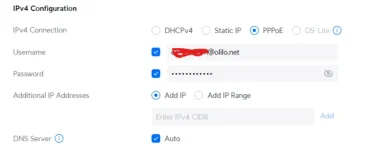
- Auto-detection: Olilo uses DHCP - Make sure IPv4 is set to DHCPv4 (this is on city fibre only, open reach base connections still use PPPOE)
- Static IP Setup (if applicable):
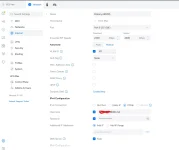
Step 5: Configuring IPv6
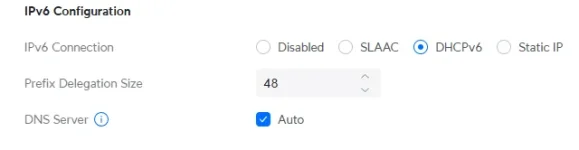
1. On the WAN tab, Scroll down past IPv4 configuration2. Set IPv6 configuration to DHCPv6
3 Set Prefix delegation size to 48
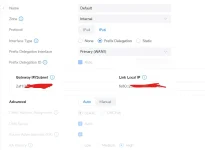
4. Head to the 'Networks' tab
5. Select your primary network
6. Select IPv6
 Step 4: Finalise and Test
- Save settings and allow the device to apply them (may reboot).
- Connect a device to your new Wi-Fi network or via LAN.
- Test the internet by opening a website or running a speed test.
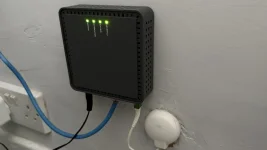
From left to right you’ll have
Power
Broadband
Service
Ethernet
(On the GP1007x)
Last edited: