- Thread Author
- #1
For CityFibre.
First, create a VLAN interface.
Navigate: Network -> Interfaces.
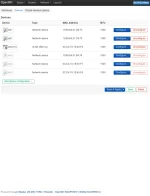
Select tab "Devices".
Press "Add device configuration".
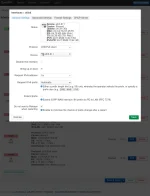
Select "Device type": "VLAN (802.1q)".
Select "Base device": physical interface for where the patchcord from the ONT enters.
Enter "VLAN ID" 911.
"Device name" - logical interface name, will default to e.g. `eth3.911`
Press "Save".
No other settings have to be changed at this time.
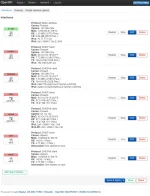
While staying on "Network -> Interfaces" page, select tab "Interfaces".
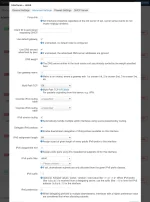
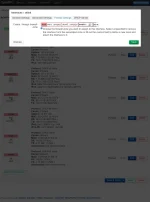
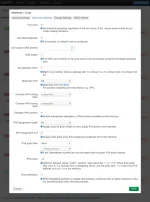
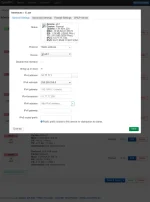
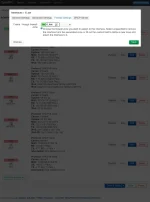
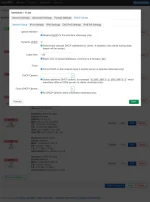
As is usual for "WAN" (public-internet-side) in OpenWRT, do "Add new interface" two times, with "Protocol" being "DHCP client", and then with "DHCPv6 client", selecting the VLAN device. I named them "olilo" and "olilo6".
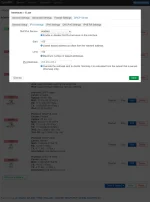
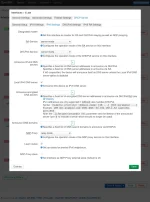
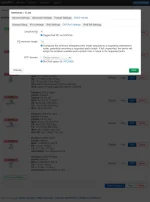
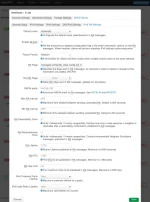
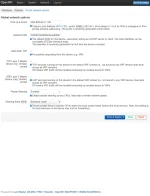
IPv4 setup is relatively boring, and IPv6 is full of pitfalls and so is exciting, so I will focus on that in the explanation and screenshots.
Basically I tried different settings until LAN clients got IPv6 addresses and working pings and DNS. This happened with "RA service" and "DHCPv6 service" in "server mode" (relay mode didn't work).
First, create a VLAN interface.
Navigate: Network -> Interfaces.
Select tab "Devices".
Press "Add device configuration".
Select "Device type": "VLAN (802.1q)".
Select "Base device": physical interface for where the patchcord from the ONT enters.
Enter "VLAN ID" 911.
"Device name" - logical interface name, will default to e.g. `eth3.911`
Press "Save".
No other settings have to be changed at this time.
While staying on "Network -> Interfaces" page, select tab "Interfaces".
As is usual for "WAN" (public-internet-side) in OpenWRT, do "Add new interface" two times, with "Protocol" being "DHCP client", and then with "DHCPv6 client", selecting the VLAN device. I named them "olilo" and "olilo6".
IPv4 setup is relatively boring, and IPv6 is full of pitfalls and so is exciting, so I will focus on that in the explanation and screenshots.
Basically I tried different settings until LAN clients got IPv6 addresses and working pings and DNS. This happened with "RA service" and "DHCPv6 service" in "server mode" (relay mode didn't work).
Attachments
-
 Screenshot 2026-04-09 at 19-06-21 OpenWrt Interfaces.webp90.2 KB · Views: 2
 -
 Screenshot 2026-04-09 at 19-06-43 OpenWrt Interfaces.webp47.4 KB · Views: 5
 -
 Screenshot 2026-04-09 at 19-07-02 OpenWrt Interfaces.webp79.1 KB · Views: 3
 -
 Screenshot 2026-04-09 at 19-07-48 OpenWrt Interfaces.webp63.7 KB · Views: 3
 -
 Screenshot 2026-04-09 at 19-08-17 OpenWrt Interfaces.webp86.6 KB · Views: 2
 -
 Screenshot 2026-04-09 at 19-08-28 OpenWrt Interfaces.webp67.5 KB · Views: 3
 -
 Screenshot 2026-04-09 at 19-08-57 OpenWrt Interfaces.webp83.4 KB · Views: 2
 -
 Screenshot 2026-04-09 at 19-08-49 OpenWrt Interfaces.webp54.6 KB · Views: 3
 -
 Screenshot 2026-04-09 at 19-09-08 OpenWrt Interfaces.webp66.7 KB · Views: 2
 -
 Screenshot 2026-04-09 at 19-09-19 OpenWrt Interfaces.webp69.4 KB · Views: 2